
Share TV Shows with Public Pages
Show Sharing gives any series a polished public page you can send to someone else without requiring them to create an account first.
That makes recommendations, group planning, and quick “watch this next” moments much easier because the destination is clean, visual, and focused on the show itself.
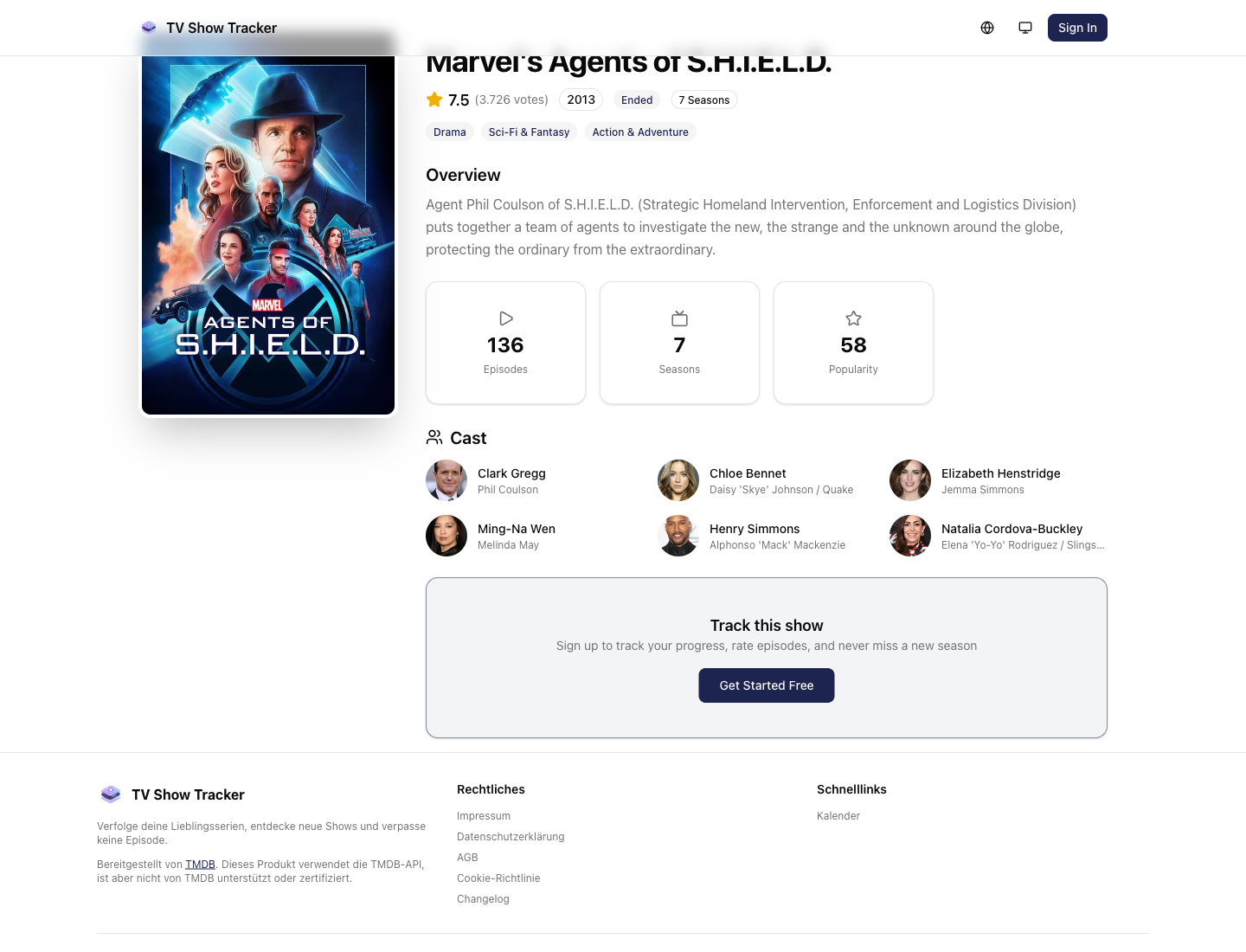
Public share page with poster, cast, and context
The share page is intentionally polished because it often becomes the first product touchpoint for a new person.
What makes it useful
Share a polished public page for any show with poster, cast, streaming services, and key facts.
Public pages are built for sending, not only for internal use
Poster, cast, summary, and availability context make the page feel recommendation-ready.
Strong enough for quick social or friend-to-friend sharing
A share page reduces the need for screenshots, copied metadata, or improvised summaries in chat.
Bridges public context and private tracking
You can share outward while still keeping deeper tracking workflows inside your account.
Where it helps in real life
Concrete moments where this feature removes friction, speeds up decisions, or keeps your watching flow organized.
How it works in practice
The exact in-app flow from first action to the result you see afterwards.
Open a show that you want to recommend
Sharing starts from real show context, not a detached outbound workflow.
Generate or open the public share page
The share page packages key information into something you can send immediately.
Let the receiver explore without account friction
The best share experiences lower the barrier before deciding whether to watch or sign up.
See it in the app
Real screenshots from the live application so you can evaluate the actual experience before signing up.
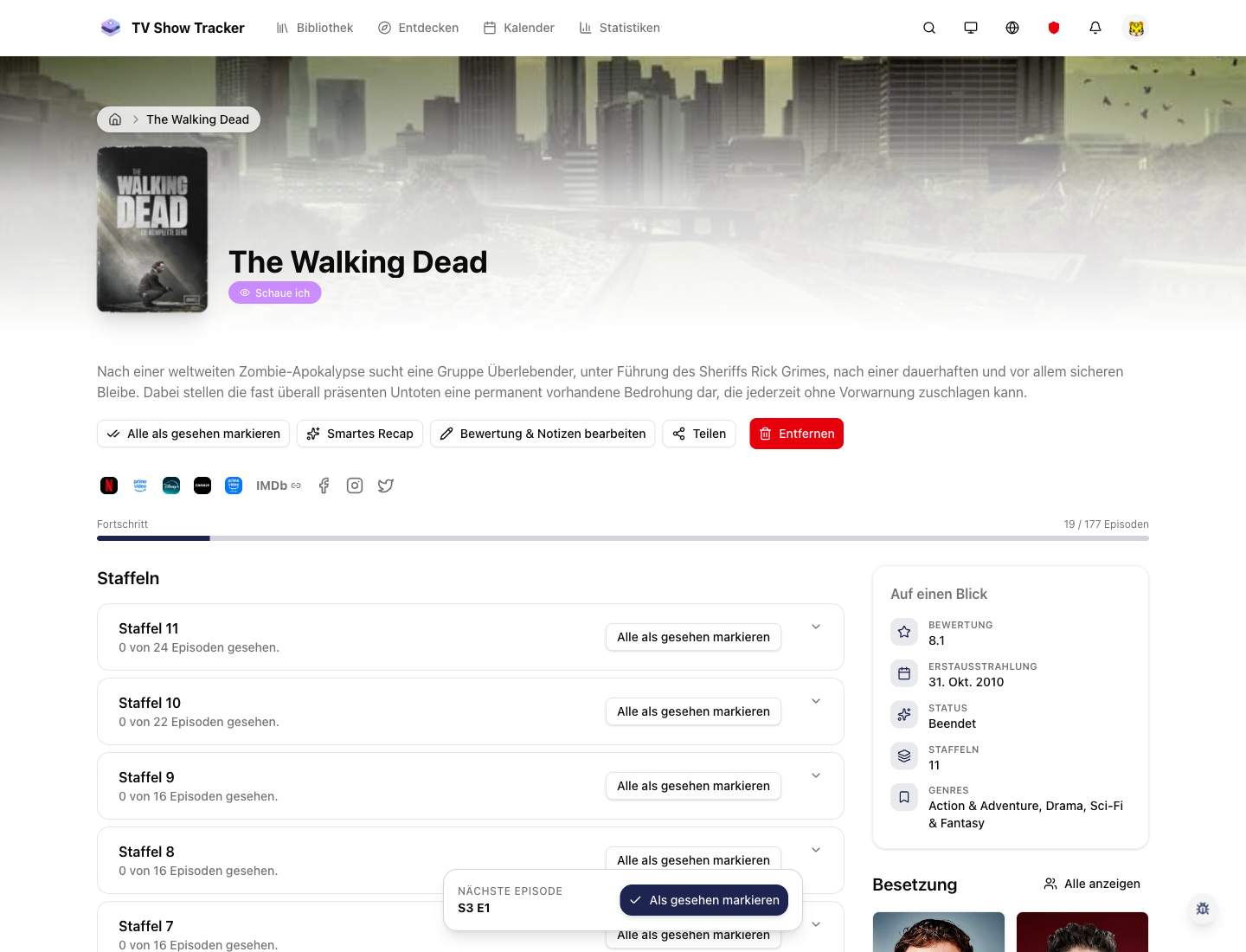
Sharing starts from the normal show workflow
You do not need a separate marketing tool to recommend a title; it grows naturally out of show detail usage.
Where to find it
Open the exact app areas where this feature becomes part of your daily routine.
Questions people usually ask
Short answers to the things that matter most before you adopt a new workflow.
Everything for watchlists, episodes, and recommendations
Practical tools so you do not have to manage shows in notes, spreadsheets, or half-maintained watchlists.
Recommend shows with a link that does the work
Use public share pages to send a series with enough context that the other person can act on it immediately.