
Personalized TV Show Recommendations
Personal recommendations turn Explore into a feed that reflects your own history, not just platform-wide popularity.
Genres, actors, creators, watch behavior, hidden titles, and shows available on your services all shape a recommendation feed that feels closer to your real taste.
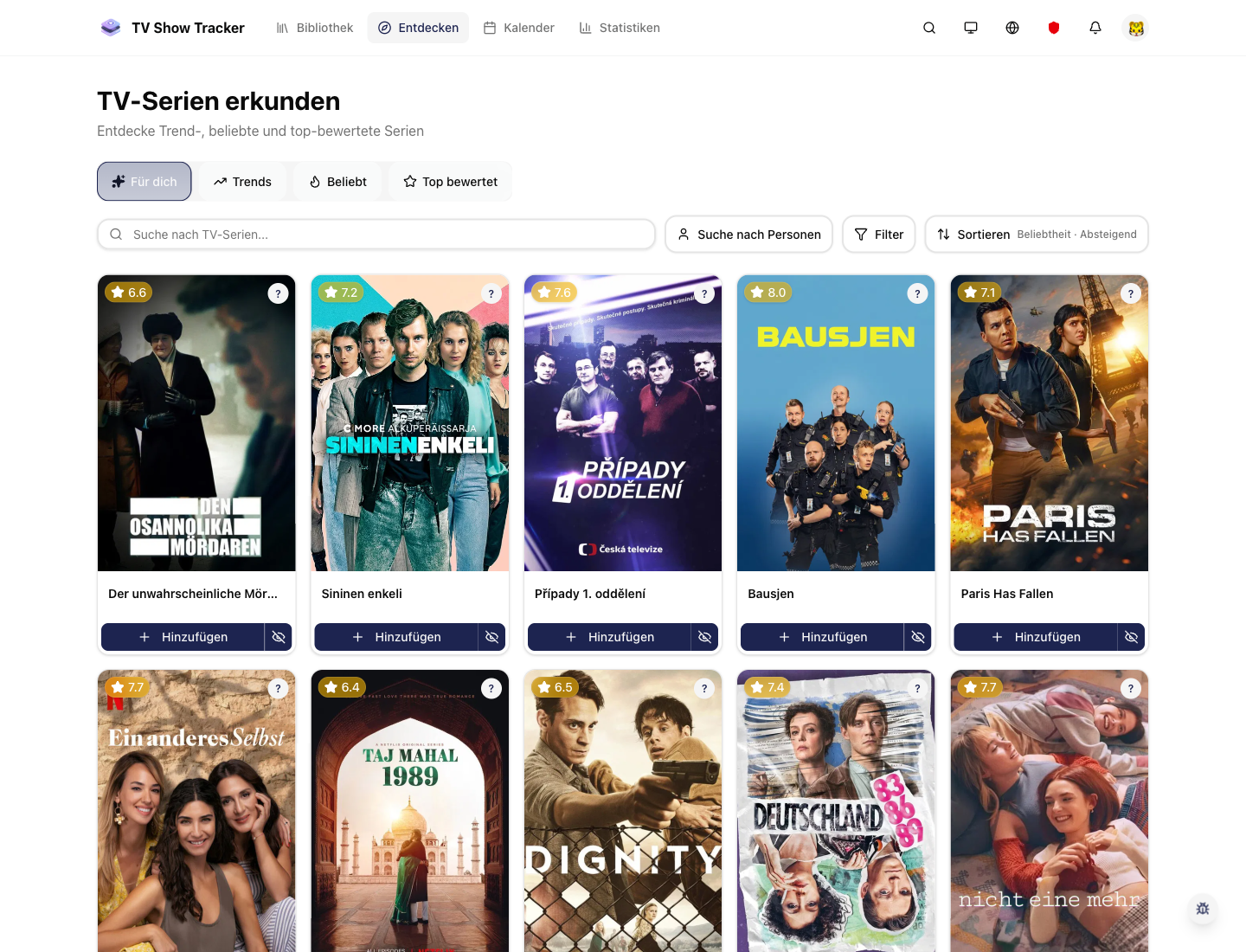
For You feed on the Explore page
Recommendations are integrated into the same discovery surface you already use, rather than living in a hidden experimental tab.
What makes it useful
Get suggestions shaped by your genres, watchlist signals, and favorite shows.
The For You feed adapts to your watch history
Recommendations improve as you track more shows, rate episodes, hide mismatches, and reveal what you actually finish.
Recommendation reasons explain why something appears
The feed is not a black box; short reasons show whether genre, people, behavior, or provider fit caused the match.
Less noise than generic trending lists
Already tracked shows, hidden titles, and obvious genre mismatches can move out of the way so the shortlist stays useful.
Where it helps in real life
Concrete moments where this feature removes friction, speeds up decisions, or keeps your watching flow organized.
How it works in practice
The exact in-app flow from first action to the result you see afterwards.
Use the app normally and let signals accumulate
Recommendations get stronger through real behavior instead of one-time onboarding answers.
Check the reason behind each suggestion
Context makes it easier to trust a recommendation or deliberately ignore it.
Add strong candidates directly to your library
For You works best when discovery and tracking stay connected in the same workflow.
See it in the app
Real screenshots from the live application so you can evaluate the actual experience before signing up.
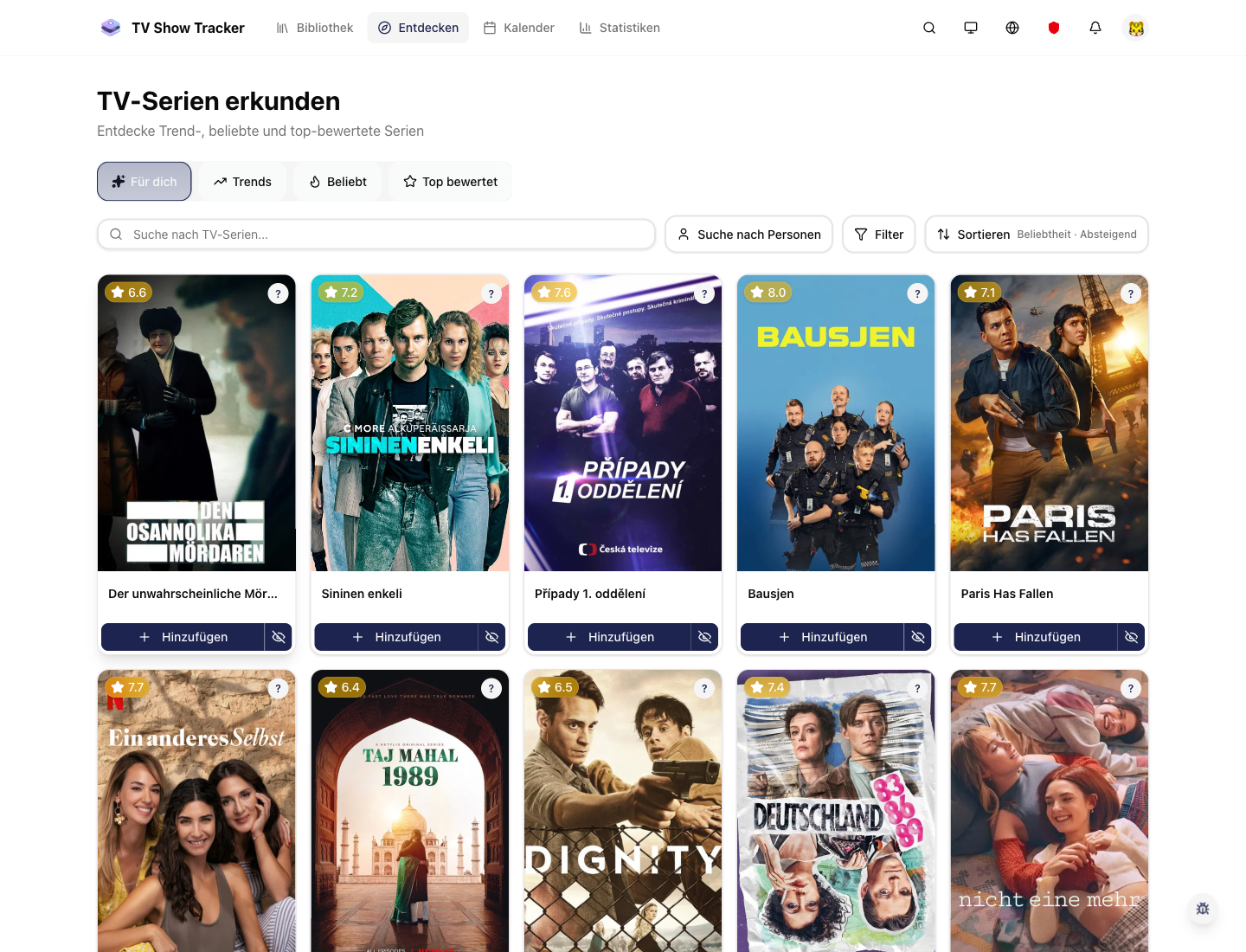
Reason pills explain the match
Recommendation context helps you understand whether a show is there because of genres, actors, behavior, or provider fit.
Where to find it
Open the exact app areas where this feature becomes part of your daily routine.
Questions people usually ask
Short answers to the things that matter most before you adopt a new workflow.
Everything for watchlists, episodes, and recommendations
Practical tools so you do not have to manage shows in notes, spreadsheets, or half-maintained watchlists.
Use discovery that learns from your taste
Let For You narrow the field and surface shows that fit your watch history better than generic charts.