
Automatic TV Show Scrobbling
Auto-scrobbling keeps your progress current by pulling watch activity in from supported media players, so manual updates become the exception instead of the rule.
That matters most for heavy viewers. Once you watch across devices and sessions, manual check-ins start to create just enough friction to make tracking degrade over time.
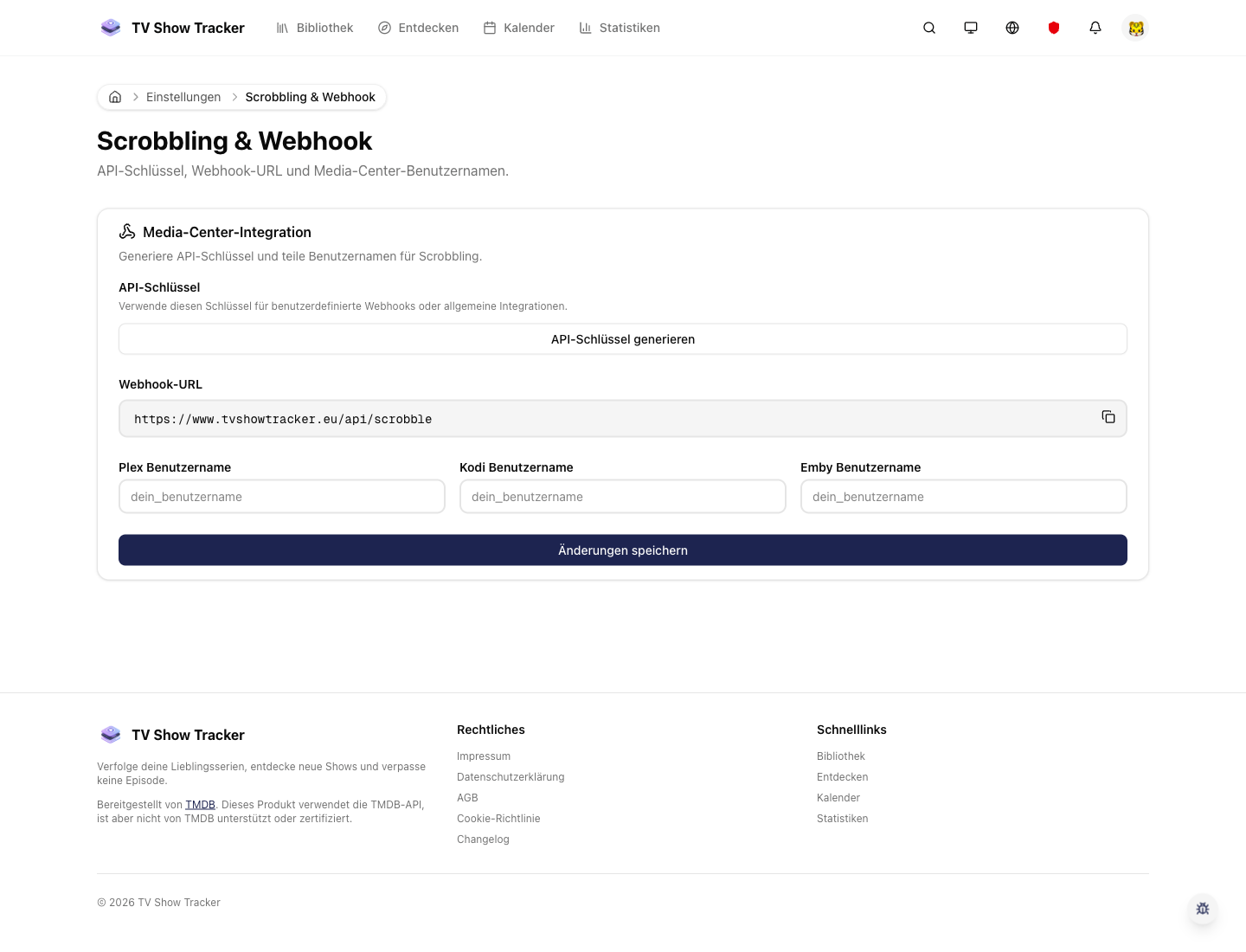
Dedicated scrobbling setup
Settings expose the automation layer clearly so you can decide how much of your watch history should sync in automatically.
What makes it useful
Pull watch activity in from supported media players so progress stays current automatically.
Supported player activity flows into tracking
Watch events can update the app without requiring you to remember every episode afterwards.
Reduces maintenance overhead for serious usage
The more often you watch, the more valuable it becomes to remove repetitive updates.
Keeps the rest of the product healthier
Library, calendar, stats, and recommendations all become more accurate when progress stays up to date automatically.
Where it helps in real life
Concrete moments where this feature removes friction, speeds up decisions, or keeps your watching flow organized.
How it works in practice
The exact in-app flow from first action to the result you see afterwards.
Configure the supported integration once
Scrobbling setup lives in settings where it can be enabled deliberately and revisited when needed.
Let watch events sync into the account
The product can translate media-player activity into meaningful show progress.
Use the rest of the app normally
Once scrobbling is active, the main benefit is that everything else becomes easier to trust.
See it in the app
Real screenshots from the live application so you can evaluate the actual experience before signing up.
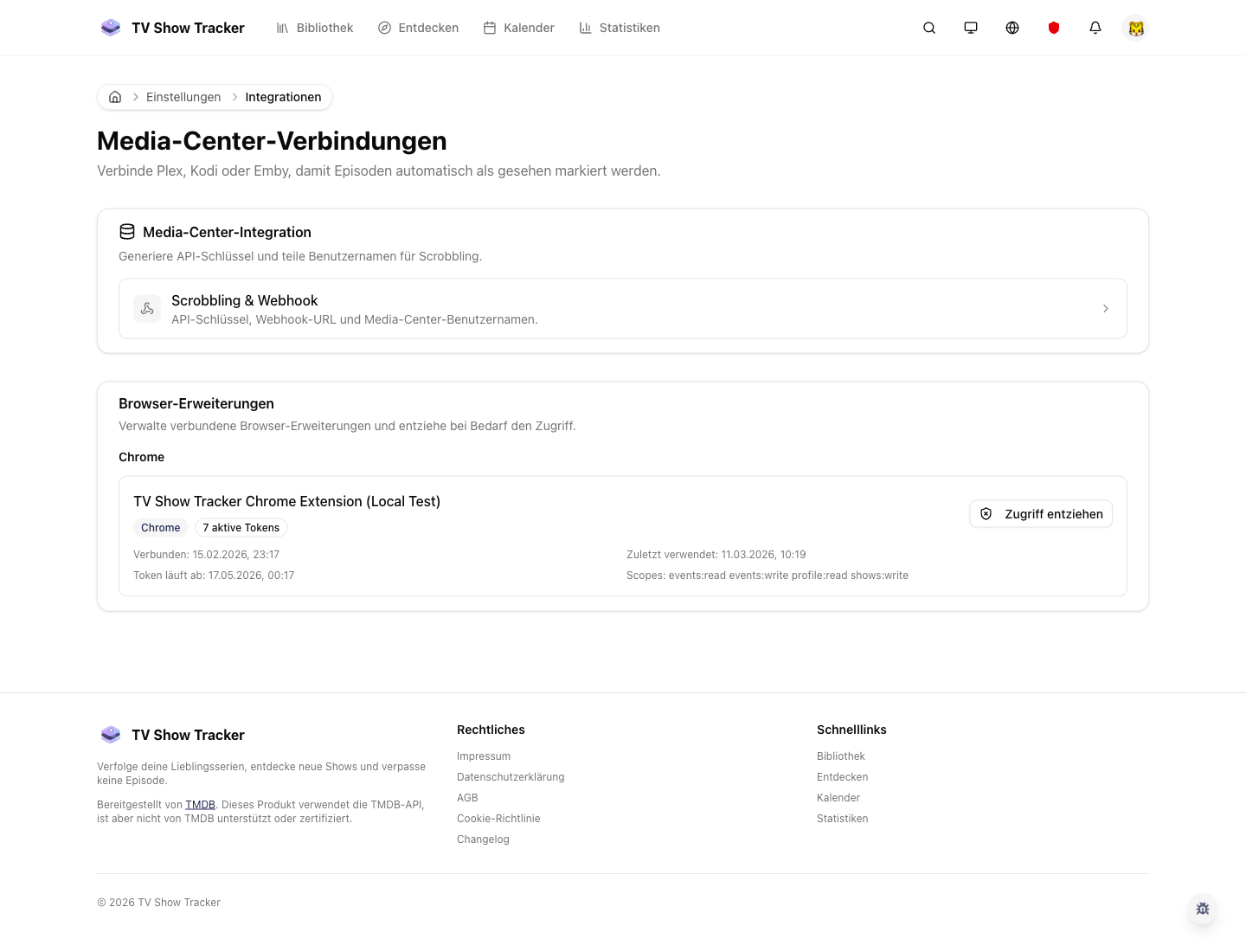
Integrations as the control layer
The broader integrations surface keeps automation visible instead of hiding it behind an advanced-only flow.
Where to find it
Open the exact app areas where this feature becomes part of your daily routine.
Questions people usually ask
Short answers to the things that matter most before you adopt a new workflow.
Everything for watchlists, episodes, and recommendations
Practical tools so you do not have to manage shows in notes, spreadsheets, or half-maintained watchlists.
Reduce manual progress upkeep
Connect your scrobbling setup and let the app stay current while you focus on watching instead of logging.