
TV Episode Calendar and Notifications
The calendar turns scattered release dates into one schedule you can actually act on, especially when several tracked shows overlap in the same week.
Instead of checking multiple providers or social feeds, you get an episode-centric planning view with upcoming releases tied directly to the shows in your library.
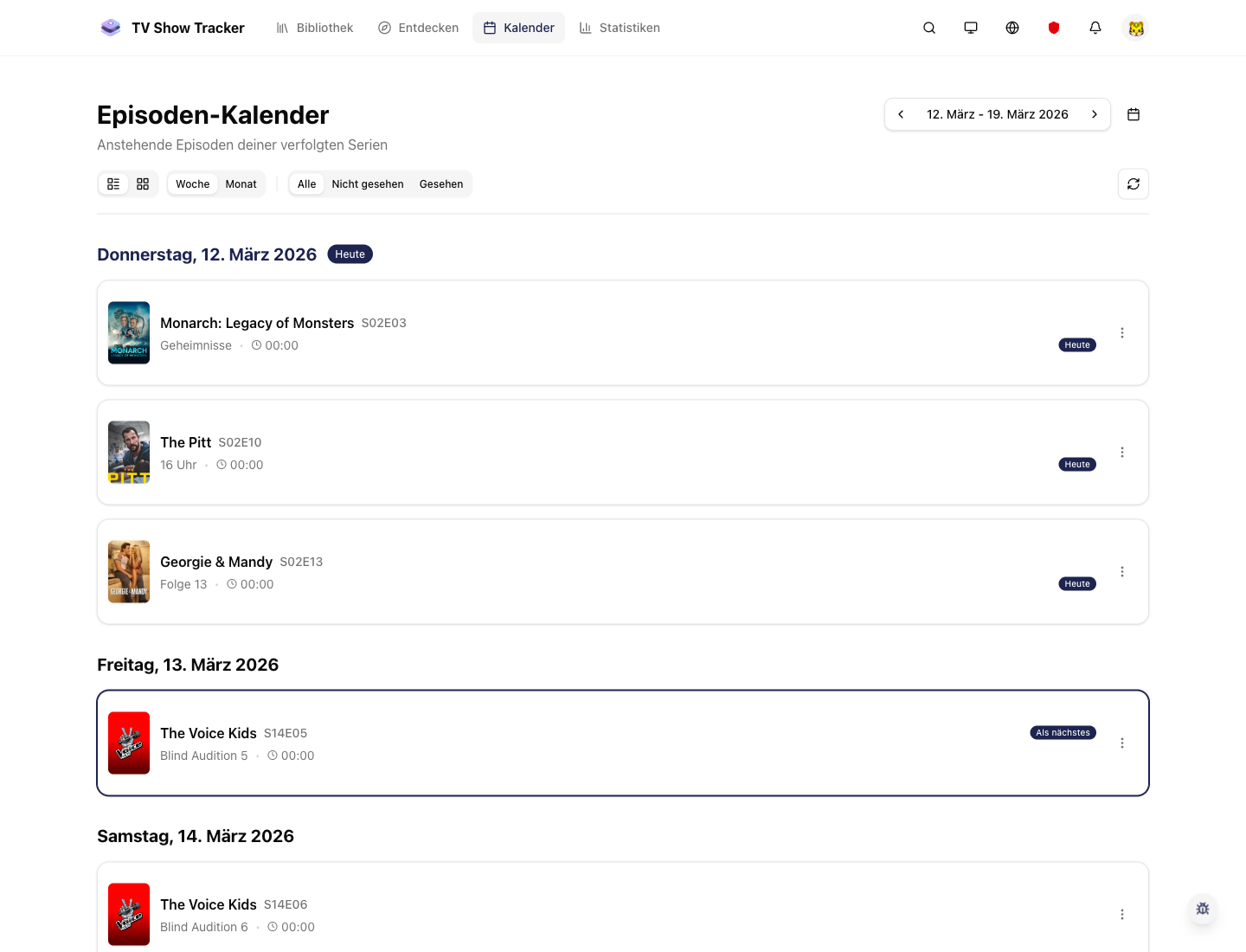
Release planning in month view
The calendar keeps upcoming episodes visible across the month without turning into an unreadable wall on heavy release days.
What makes it useful
Keep upcoming episodes and releases visible without checking release dates yourself.
Month and list views for different planning styles
Use the compact calendar when you want overview, then switch to the list-like view when you need clarity on busy days.
Upcoming releases tied to tracked shows only
The signal stays relevant because the calendar is built around your personal library, not a generic industry feed.
Episode density stays readable on busy days
Calendar cells and mobile layouts are optimized so heavy release days remain usable.
Where it helps in real life
Concrete moments where this feature removes friction, speeds up decisions, or keeps your watching flow organized.
How it works in practice
The exact in-app flow from first action to the result you see afterwards.
Track the shows that matter to you
The calendar becomes personal as soon as your library reflects your current watching universe.
Open month or list view depending on density
Use overview when the week is light and switch to detail when many episodes land at once.
Jump from the release straight back into the show
Calendar entries are meant to hand you back into your normal watch workflow, not stop at the date.
See it in the app
Real screenshots from the live application so you can evaluate the actual experience before signing up.
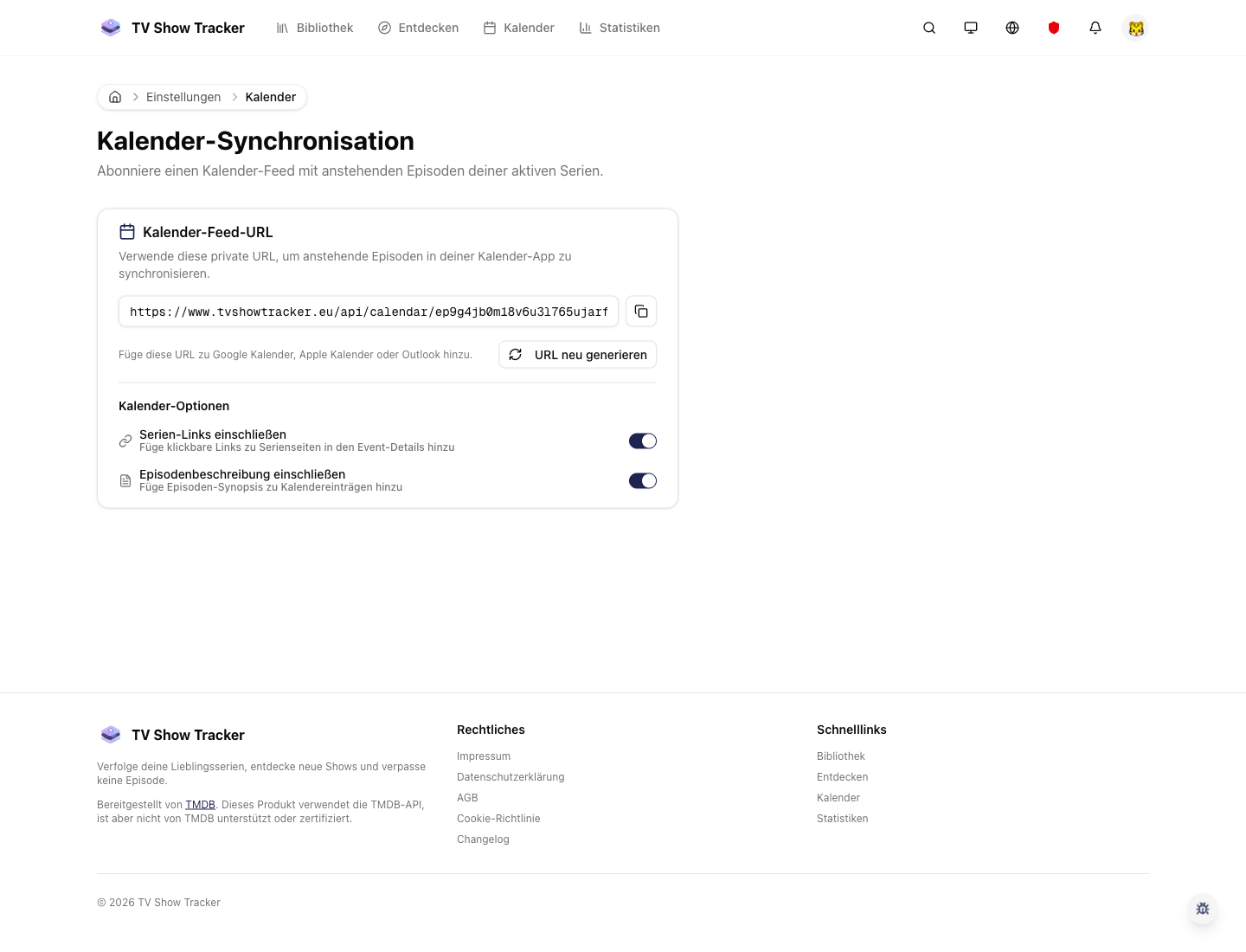
Calendar integrations and related settings
Calendar-aware settings support a workflow where reminders and external calendar tools stay in sync.
Where to find it
Open the exact app areas where this feature becomes part of your daily routine.
Questions people usually ask
Short answers to the things that matter most before you adopt a new workflow.
Everything for watchlists, episodes, and recommendations
Practical tools so you do not have to manage shows in notes, spreadsheets, or half-maintained watchlists.
Stop checking release dates manually
Use one calendar for the shows you track and keep upcoming episodes visible before they become easy to miss.