TV Episode Calendar Sync
Calendar Sync pushes your upcoming episodes into the calendar tools you already live in, so TV releases show up next to the rest of your week.
That means fewer separate apps to check and a much better chance that premieres, finales, and return dates stay visible when you are planning your time.
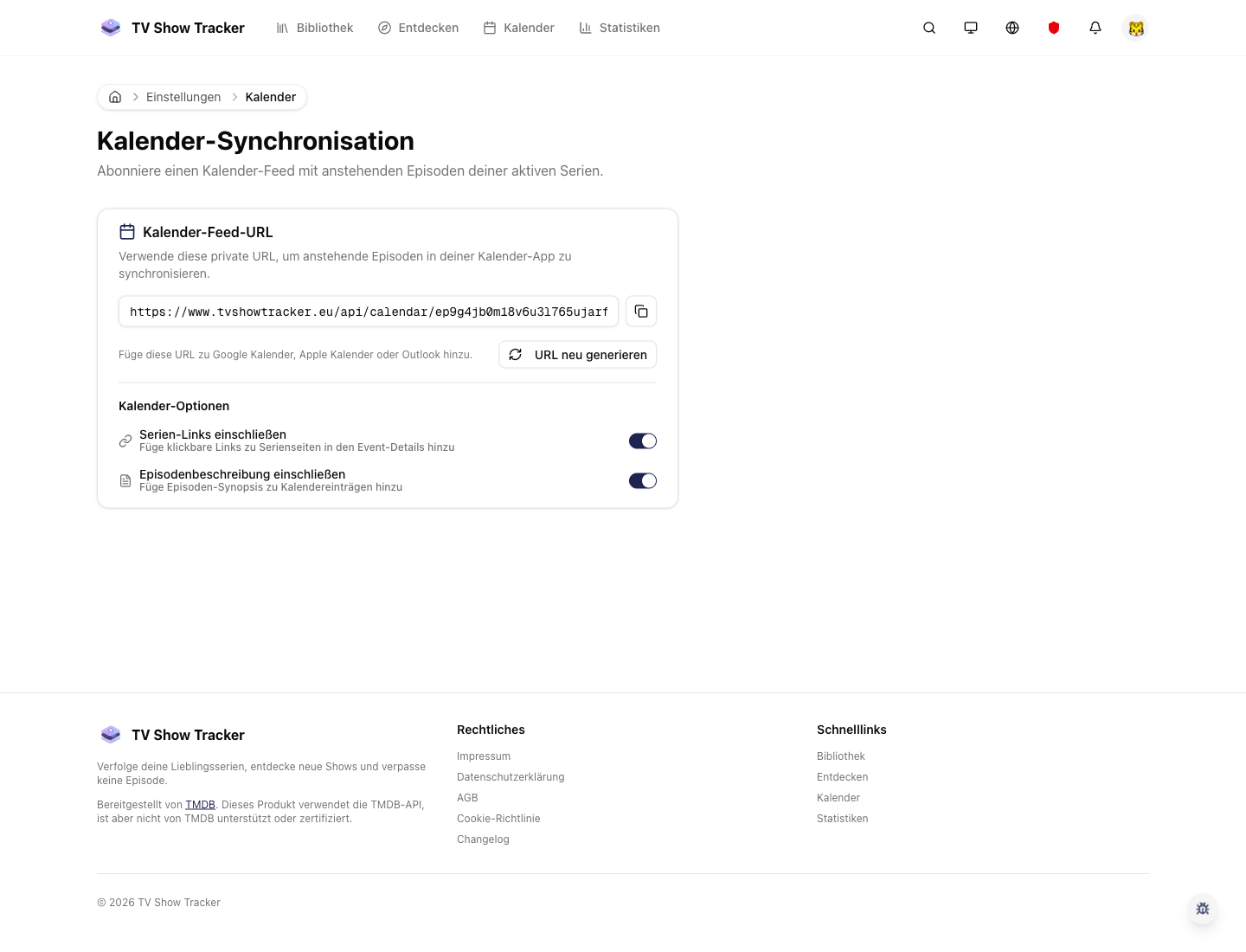
Calendar feed settings
The sync flow is designed to be a one-time setup rather than an export you need to repeat every week.
What makes it useful
Subscribe to a live episode feed in Apple, Google, or Outlook instead of checking manually.
Personal iCal feed for your tracked shows
Subscribe once and let your own release stream stay current in Apple Calendar, Google Calendar, or Outlook.
Automatic updates when release data changes
The feed updates as your tracked shows change, so you do not have to rebuild anything manually.
Pairs naturally with in-app calendar planning
The app remains the control center while your external calendar becomes a passive reminder surface.
Where it helps in real life
Concrete moments where this feature removes friction, speeds up decisions, or keeps your watching flow organized.
How it works in practice
The exact in-app flow from first action to the result you see afterwards.
Open the calendar sync settings once
The feed setup is exposed directly in settings instead of being buried behind a support article.
Copy the feed into your preferred calendar app
The product generates the machine-readable endpoint so your normal calendar tool handles the rest.
Keep managing shows in TV Show Tracker
Your library changes and release updates continue to flow through without a separate export routine.
See it in the app
Real screenshots from the live application so you can evaluate the actual experience before signing up.
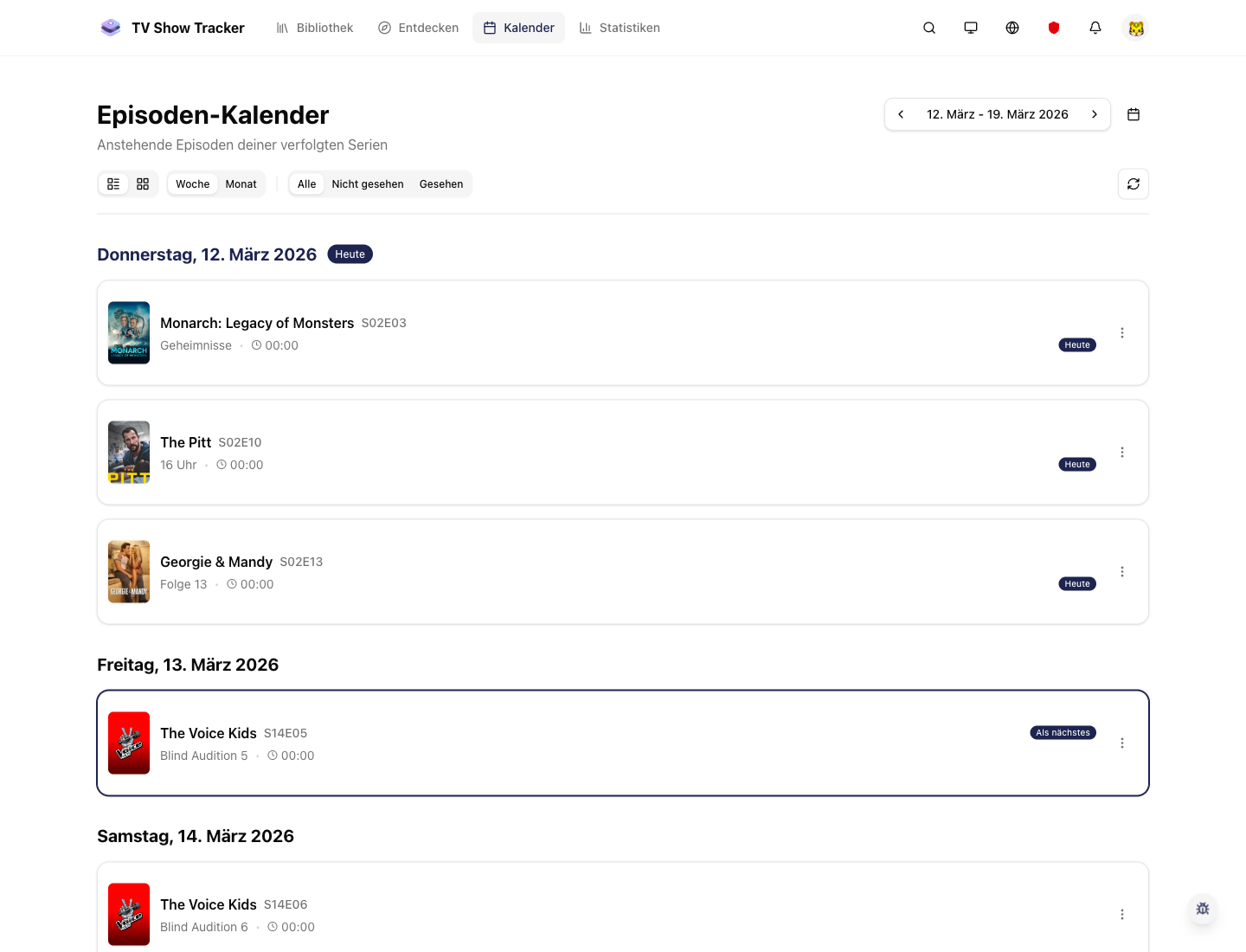
The in-app calendar stays the source of truth
Use the internal calendar for rich planning while the external feed keeps releases visible elsewhere.
Where to find it
Open the exact app areas where this feature becomes part of your daily routine.
Questions people usually ask
Short answers to the things that matter most before you adopt a new workflow.
Everything for watchlists, episodes, and recommendations
Practical tools so you do not have to manage shows in notes, spreadsheets, or half-maintained watchlists.
Bring episode releases into your real schedule
Set up the feed once and let your calendar tools stay aligned with what you track in the app.