
Smart TV Show Recaps
Smart Recaps help you re-enter a show after a break without forcing you to rewatch whole seasons or depend on vague memory.
That is especially useful for weekly viewing gaps, long mid-season pauses, or series you love but do not watch continuously enough to remember every thread.
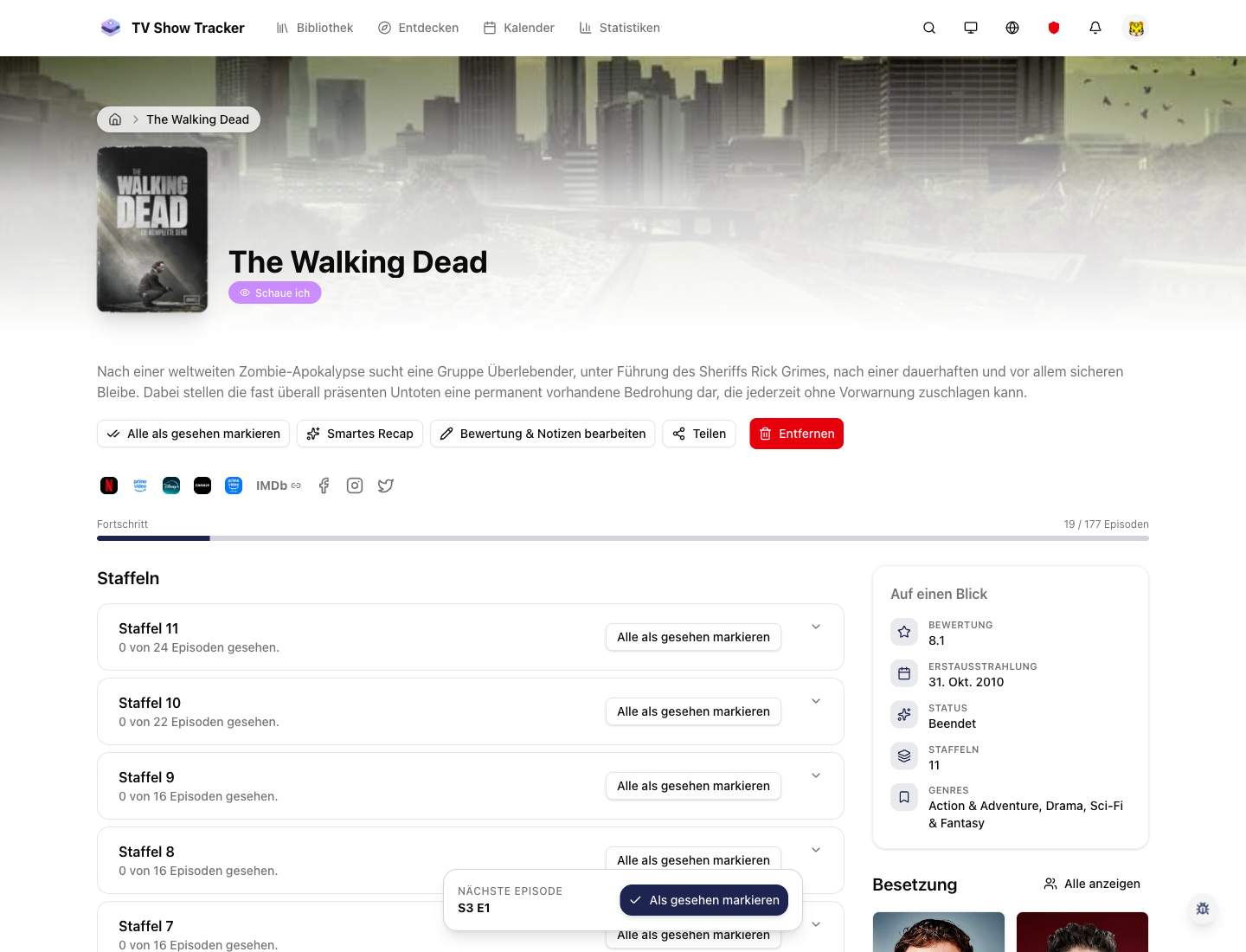
Recap-worthy actions stay on the show detail page
Smart recap flows are most valuable when they are attached directly to the show you are about to continue.
What makes it useful
Refresh your memory before the next episode with recap flows that are fast and context-aware.
Fast context recovery before the next episode
The goal is not to replace the show, but to make getting back in feel easy again.
Fits naturally into existing show detail workflows
Recaps matter most right when you are about to continue watching, so that is where they belong.
Supports continuity across long breaks
A smart reminder system reduces the penalty of not bingeing everything in one stretch.
Where it helps in real life
Concrete moments where this feature removes friction, speeds up decisions, or keeps your watching flow organized.
How it works in practice
The exact in-app flow from first action to the result you see afterwards.
Open the show you want to continue
Recaps are useful in context, when you are close to the next viewing decision.
Use the recap action instead of hunting for explanations elsewhere
The feature removes the typical jump to a wiki, blog, or spoiler-heavy recap video.
Continue into the next episode with context restored
The recap is there to reduce restart friction and protect momentum.
See it in the app
Real screenshots from the live application so you can evaluate the actual experience before signing up.
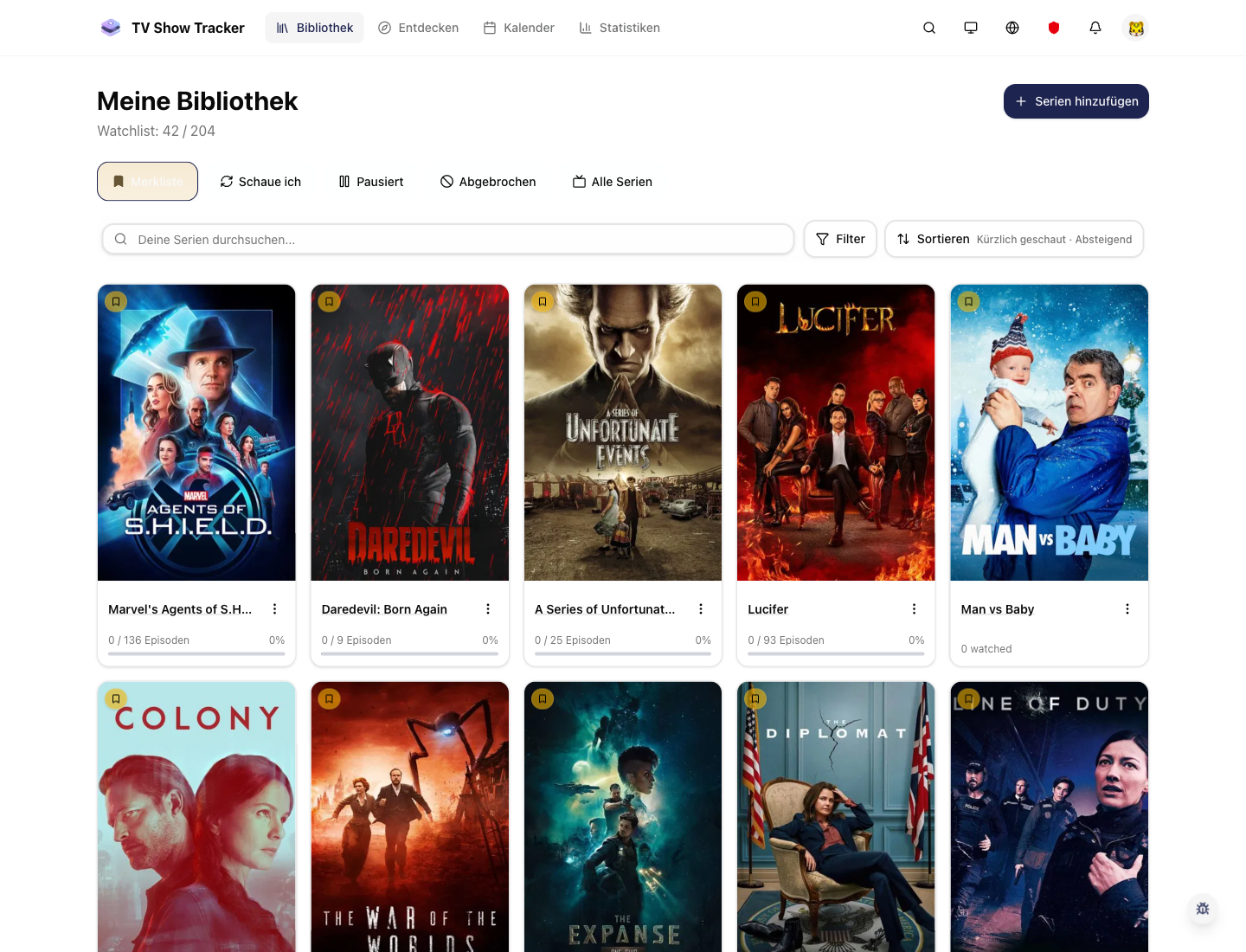
Recaps complement backlog and continuation decisions
The library helps you decide what to continue; recaps help you resume without hesitation.
Where to find it
Open the exact app areas where this feature becomes part of your daily routine.
Questions people usually ask
Short answers to the things that matter most before you adopt a new workflow.
Everything for watchlists, episodes, and recommendations
Practical tools so you do not have to manage shows in notes, spreadsheets, or half-maintained watchlists.
Continue shows with less memory friction
Use smart recaps to get context back fast and keep momentum when a series has gone cold.